
Case study · Sales & revenue
Talvenor Sales OS
An approval-first sales system we built for our own business, and the first working version of the Revenue Workflow OS we implement for clients.
- Status
- Working system, used for Talvenor's own pipeline
- Built with
- Next.js · Supabase · Vercel
- Engineering help
- Claude and Codex, with every claim checked
Read the transcript
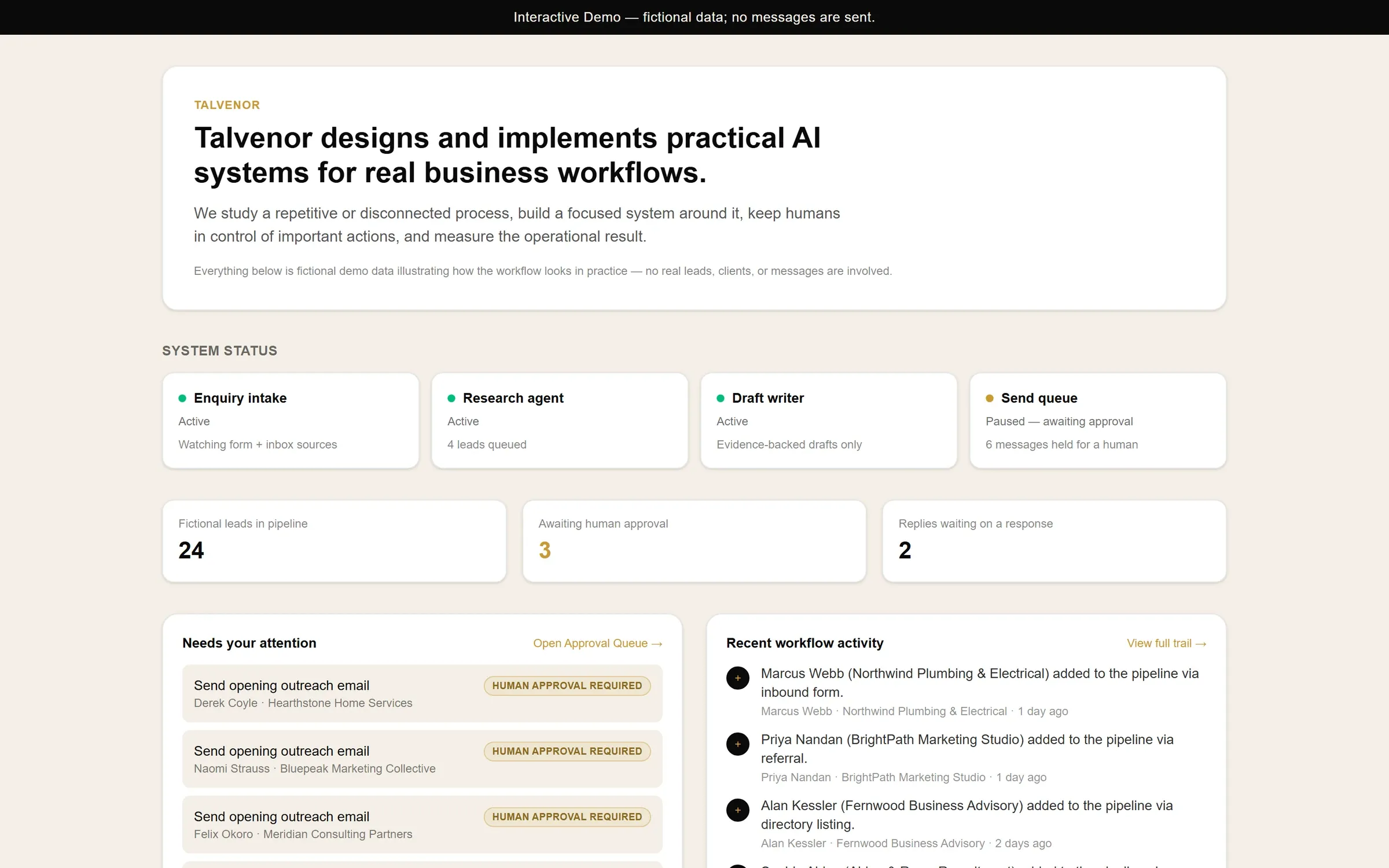
This is the Talvenor Sales OS, a practical AI-assisted workspace for managing a sales process in one place. The system collects enquiries, supports research and drafting, and keeps important actions under human control.
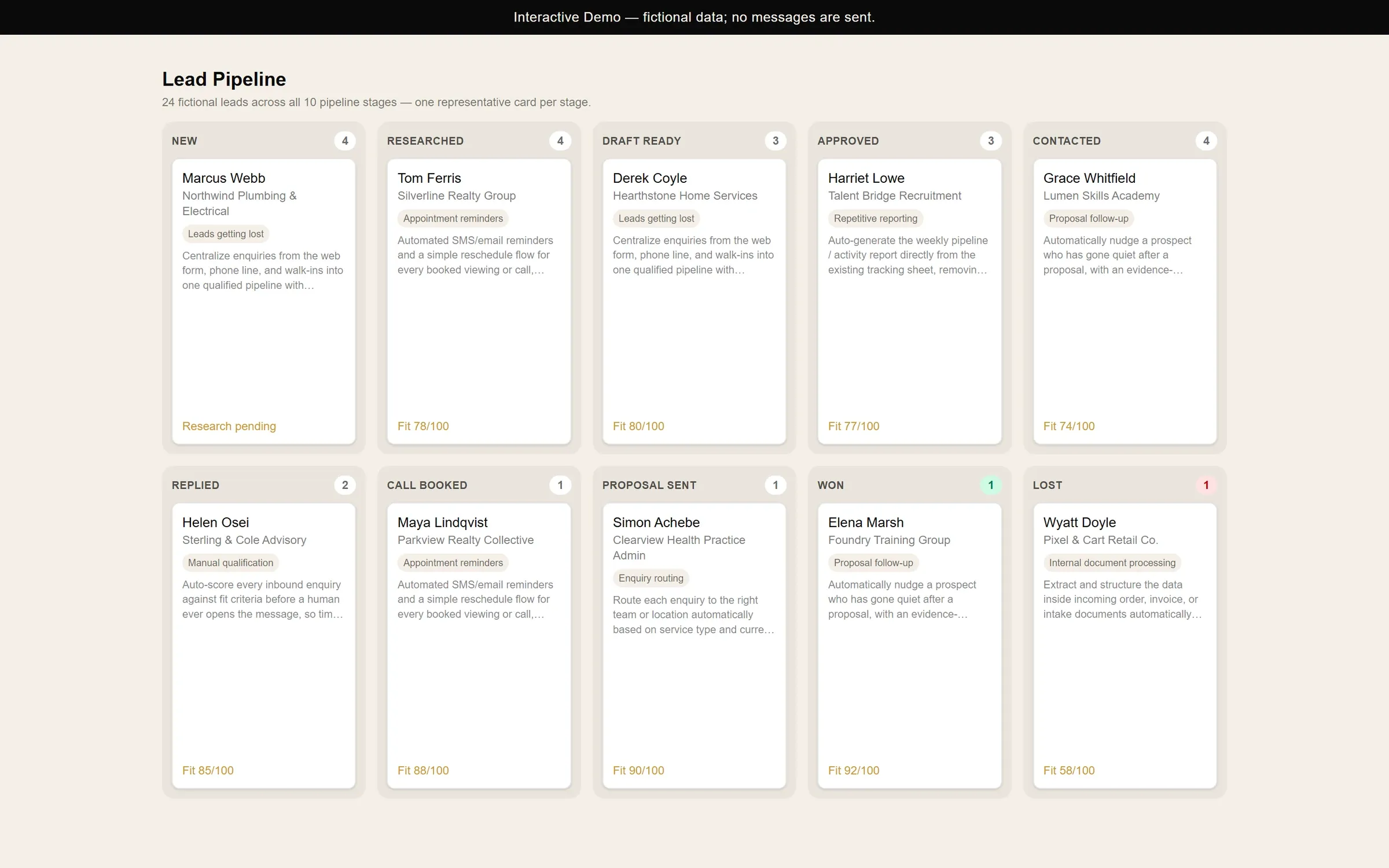
Every opportunity moves through a visible pipeline, from a new lead and research, through outreach, replies, calls, proposals, and the final result. The team can always see what is happening and what needs attention next.
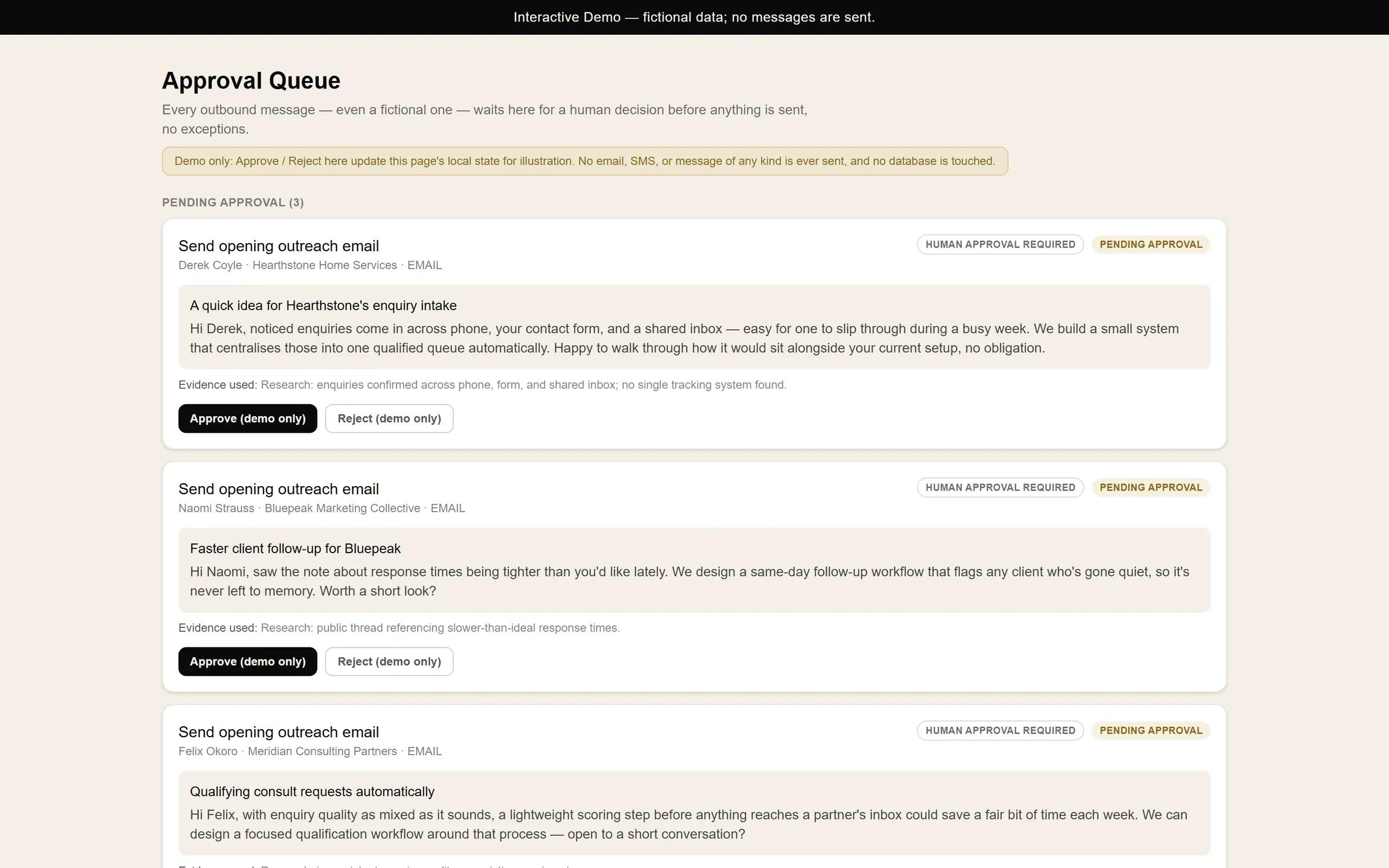
Before an outbound message can move forward, the system prepares a personalised draft with the evidence used. A person reviews the context, approves the message, or rejects it. Automation assists the decision. It does not remove responsibility.
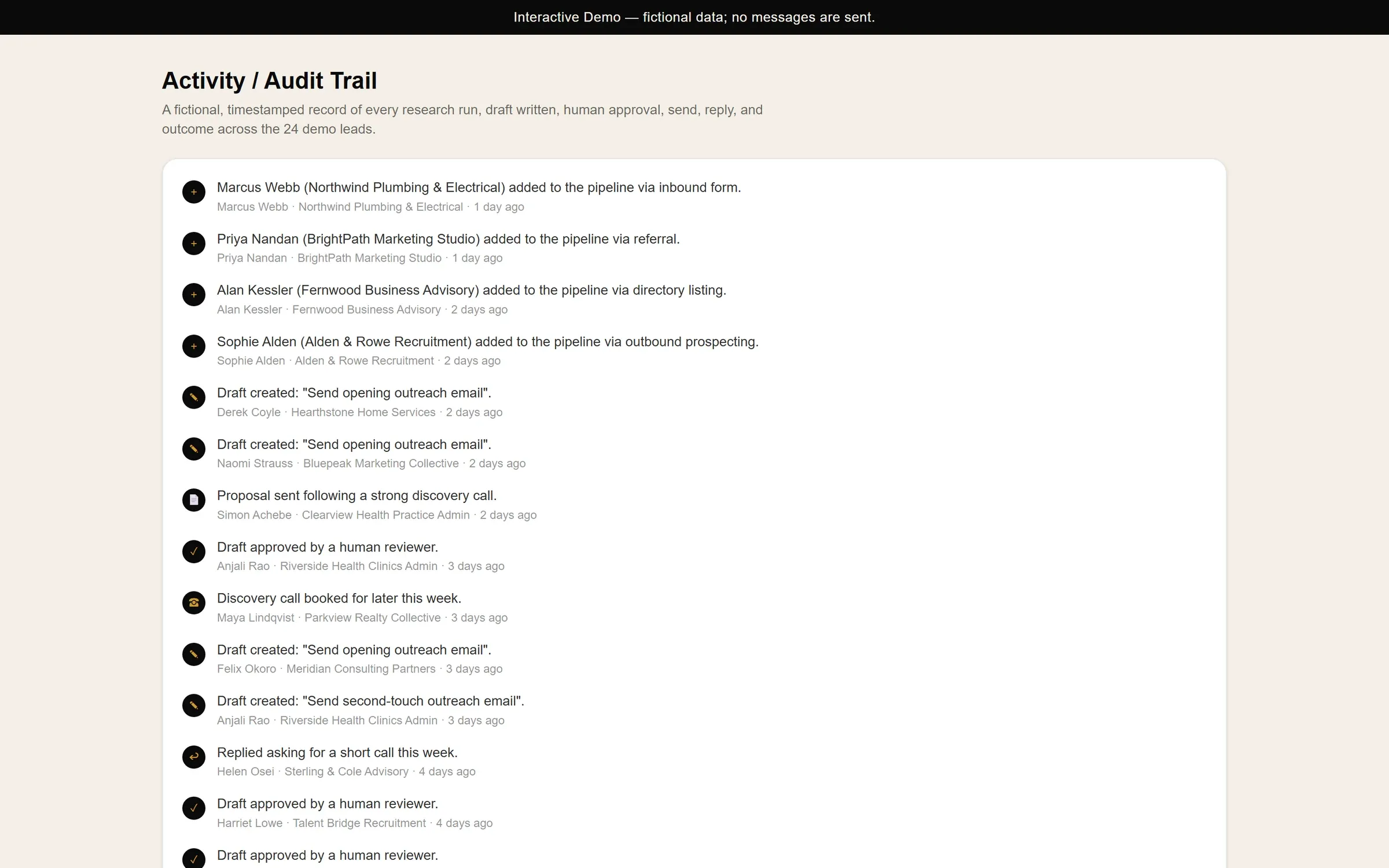
Each meaningful action creates a timestamped record. Research, drafts, approvals, replies, calls, and outcomes remain easy to review, giving the team a clear operational history.
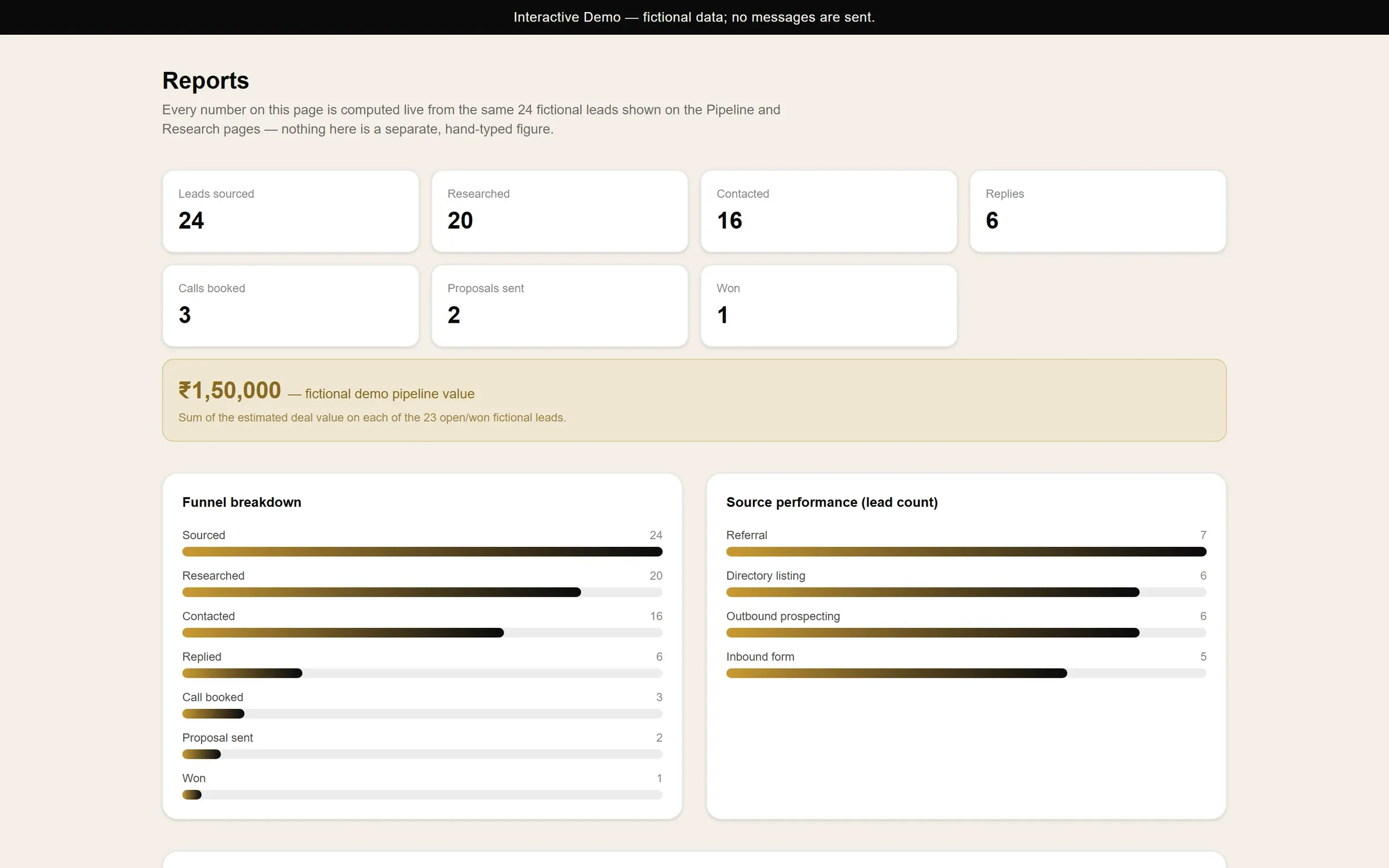
Reports connect the same pipeline data to useful business signals, including lead sources, replies, calls, proposals, and wins. This demonstration uses fictional data. Talvenor builds focused AI systems around real business workflows.
The problem
Talvenor needed a sales system before it could afford one. A large contact database plus a full CRM stack was more than we could justify with no clients, and our leads were already scattered across email, spreadsheets and memory.
We needed one place that could answer five questions every morning: who to contact, what we genuinely know about them, what to send, which follow-ups are due, and what is producing results.
What we built
A focused web app with one database as the source of truth. Leads, research, drafts, approvals, follow-ups and outcomes all live there, not in an inbox or in anyone's memory.
- Import with checks: every row is shown as valid, duplicate or invalid, with a reason, before anything is saved.
- Research with evidence: offer, audience, country, one real observation and the source URL that proves it.
- Fit score: 0–100, scoring whether the business fits, not judging the person.
- Drafts: an opening email, follow-ups and social drafts, built only from saved research.
- Approval queue: every message is approved, edited or rejected by a person.
- Follow-up and reporting: replies, tasks, calls, proposals and outcomes, with a timestamped audit trail.
How it works
A lead moves from capture through research and drafting to a required human approval step. Only then can it move to a permitted channel, follow-up tracking and a recorded outcome.

Controls
- Email can be sent only after approval, within a daily cap.
- A send lock stops two jobs from sending the same message.
- Retries are limited; failed jobs stop and wait for a person.
- Email sending can be paused, and a dry-run mode is available for testing.
- LinkedIn and Instagram actions are manual: a person opens the profile, sends the draft and marks it done.
- Row-level security ties every record to one workspace.
Limitations
- It's intentionally small. It isn't a contact database and doesn't find people for you at scale.
- AI research can still be wrong. That's why every claim needs a source and every message needs a person.
- It runs on free tiers during validation. Those have limits and will need upgrading as usage grows.
- It has been built and used for Talvenor's own process. Each client version is customised to their workflow.
Status
Working and in use for Talvenor's own pipeline. We're testing whether it can help win Talvenor's first paid clients, and we'll publish the real outcome here and on YouTube, including what didn't work. No results are claimed until they've been measured.
Screens
Inside the system.
All screens show fictional demo data. No real leads, clients or messages.
Want a version built around your process?
Every client system is customised to how your team actually works. Start with one workflow.